ATS Resume Scanner: What It Actually Checks and How to Pass
ATS Resume Scanner: What It Actually Checks and How to Pass
You've probably seen the advice to "beat the ATS," usually paired with a warning that a robot might reject your resume before a human ever sees it. That framing makes the whole process feel like an adversarial guessing game. It isn't. An ATS resume scanner is the part of an applicant tracking system that reads your resume, pulls out structured information like your job titles, dates, and skills, and makes that information searchable for a recruiter, it is not a bot deciding yes or no on its own.
Once you know what it actually checks, there's nothing left to beat. There's just a resume that reads cleanly and lists the right things.
What does an ATS resume scanner actually check?
An ATS resume scanner checks two separate things, and conflating them is where most of the "beat the ATS" advice goes wrong.
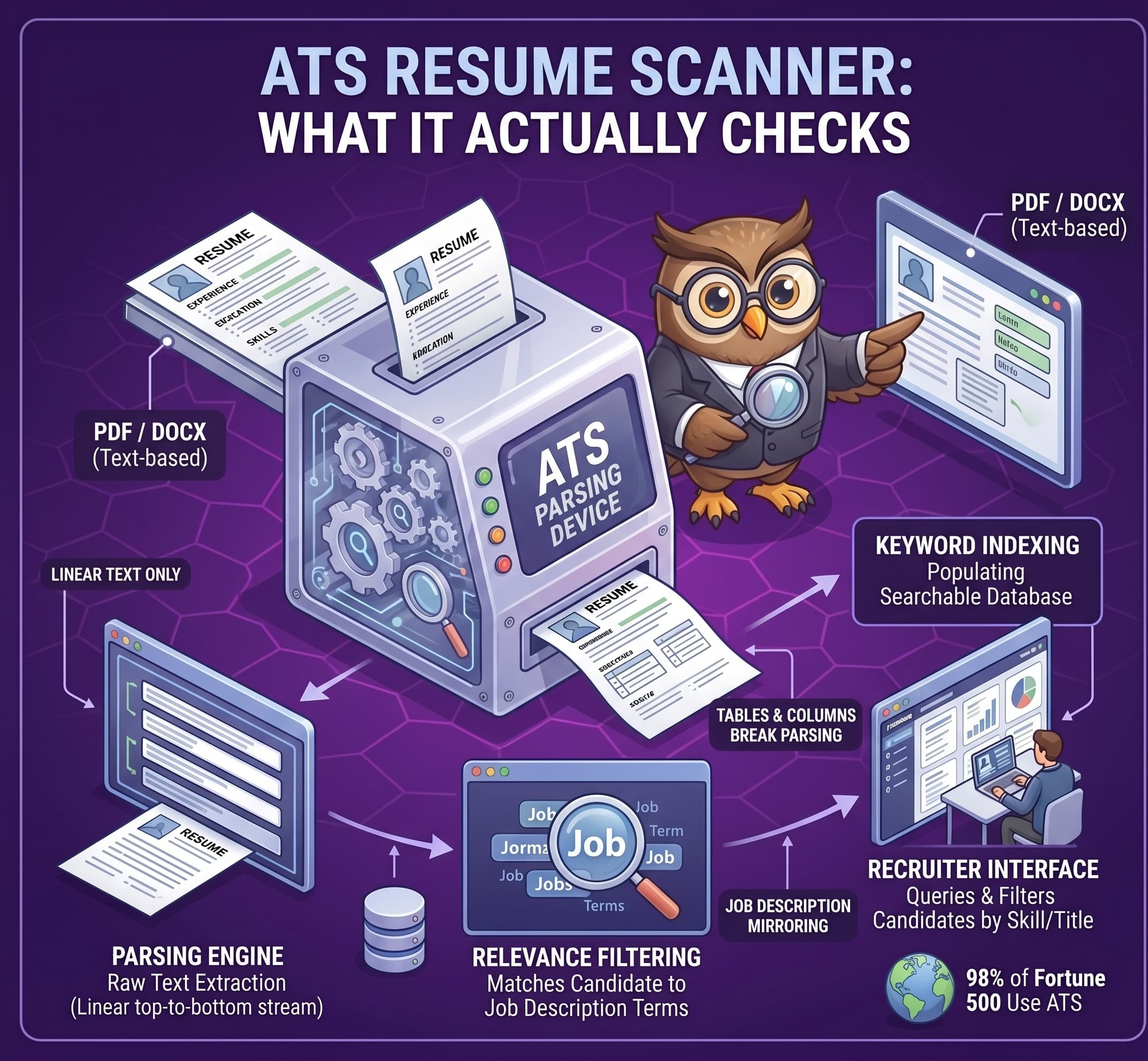
The first is parseability: can the system correctly extract your name, dates, job titles, and skills from the file you uploaded. The second is relevance: once your resume is parsed, does it contain the language a recruiter is actually going to search for. A resume can fail on either one independently. A beautifully formatted resume can list all the right skills and still parse badly if it's built from a table. A perfectly plain resume can parse cleanly and still miss the mark if it never uses the job description's actual terms for what you did.
More than 98% of Fortune 500 companies use some form of applicant tracking software (Truffle, "100 AI Recruiting Statistics for 2026"), so for most mid-size and large employers, some version of this scan is happening before a person looks at your resume. That's a fact about how resumes get processed, not a reason to panic about it.
How does an ATS scan and read your resume?
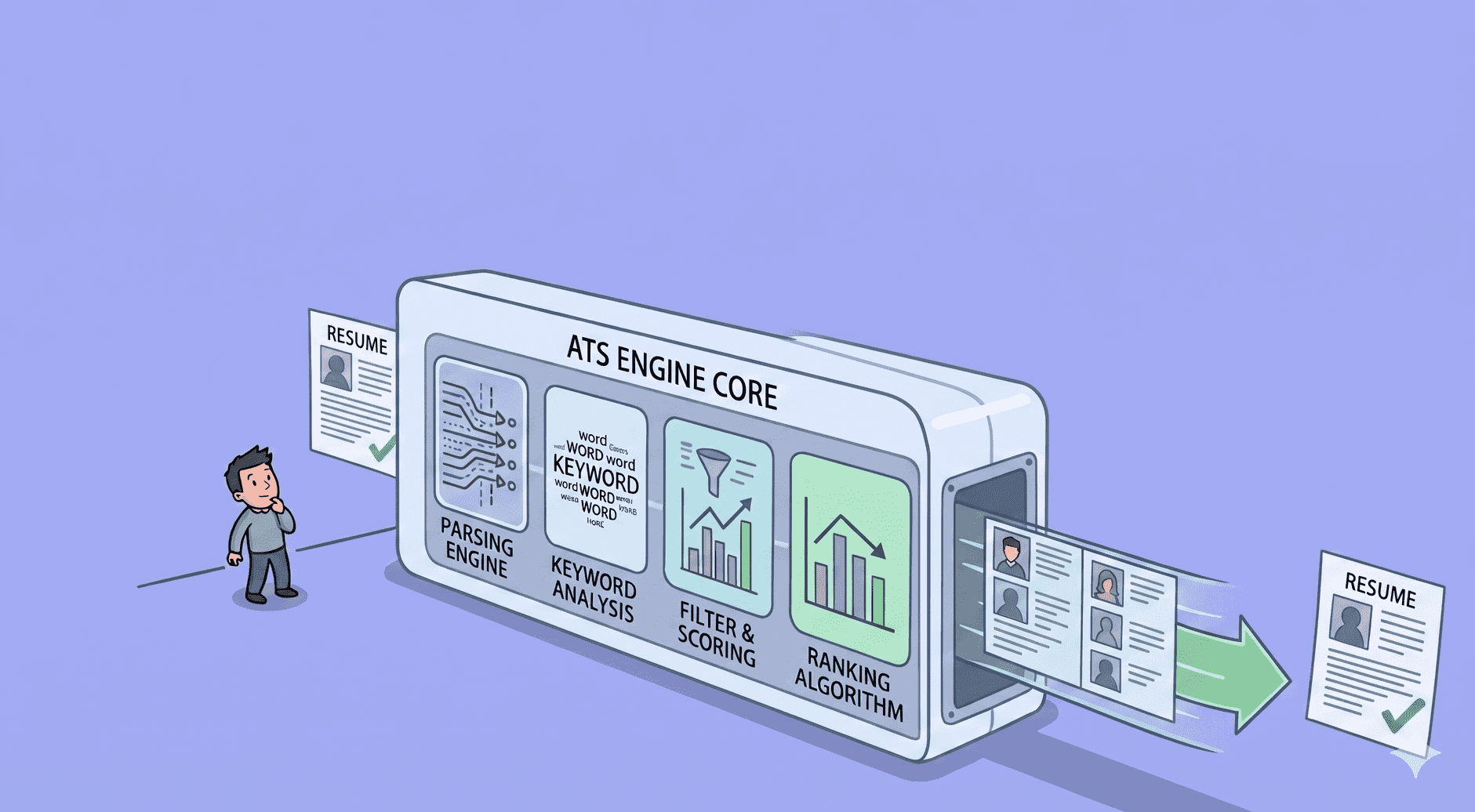
Most ATS platforms work the same general way, this is the mechanism that most advice skips in favor of listing what breaks it.
- Parse. The system extracts the raw text from your uploaded file.
- Extract and categorize. It identifies sections, work experience, education, skills, and slots the content into structured fields: job titles, employers, dates, skill names.
- Index. That structured data is stored in a searchable database, not as a document, as a set of fields a system can query.
- Search. Recruiters query that database by keyword and filter instead of reading every resume individually. In a 2025 Jobscan survey of 384 recruiters, over 99.7% said they use filters in their ATS to find candidates ("The State of the Job Search," Jobscan, 2025).
That last step is why parsing and keyword relevance both matter. If your resume doesn't parse cleanly, your real experience may never make it into the fields a recruiter actually searches. If it parses fine but doesn't use the job description's language, it won't surface when someone searches for that language, even though you may be genuinely qualified.
Can an ATS read a PDF?
Yes. This is one of the most persistent pieces of outdated advice still circulating: that PDFs don't parse and you should always submit a Word document instead. Text-based PDF and .docx files are both broadly supported by modern ATS software (Jobscan; Indeed, "Beating an Applicant Tracking System"). Neither source shows one format parsing more reliably than the other in general, so treat both as safe defaults.
The real risk isn't the file type, it's two narrower problems:
- Image-based or scanned PDFs. A PDF with no extractable text layer, a photograph of a resume, or a design export that flattens text into an image, can't be parsed at all. There's no text for the system to read, regardless of the file extension.
- Over-designed layouts. Most ATS parsers read a resume as one linear, top-to-bottom text stream. Tables, columns, text boxes, headers, footers, and graphics break that assumption and parse unreliably (Jobscan). A functional resume format, which groups skills separately from a dated work history, runs into the same problem: skills disconnected from dated roles are exactly the layout pattern that breaks linear parsing.
| Element | Parses reliably | Risky |
|---|---|---|
| File type | Text-based PDF, .docx | Image-based or scanned PDF |
| Section headers | Standard: "Work Experience," "Education," "Skills" | Creative headers like "My Journey" or "The Toolkit" |
| Layout | Single-column, linear top-to-bottom text | Tables, columns, text boxes, headers/footers, graphics |
| Resume format | Chronological or hybrid | Purely functional (skills disconnected from dated roles) |
Section headers matter for the same mechanical reason. The system pattern-matches on expected header text, "Work Experience," "Education," "Skills," to sort the content beneath it into the right field. A creative header isn't recognized by that pattern match, so the content under it risks landing in the wrong field, or no field at all.
What does it actually mean to "pass" an ATS scan?
Not tricking a filter. There's no gate to sneak past, because for the most part, there isn't a gate. The "75% of resumes rejected by ATS" figure that circulates constantly traces to marketing material with no dataset behind it (ResumeAdapter, 2026). And when Enhancv interviewed 25 US recruiters across organizations using more than 10 different ATS platforms in September and October 2025, 92% said their organization does not configure automatic rejection based on a resume's formatting, content, or design at all. That's a report from recruiters about their own organization's choices, not an audit of what every system can technically do, but it lines up with what the pipeline above already tells you: an ATS is built to parse and index, not to autonomously reject.
So "passing" comes down to two things happening at once:
- Your resume parses the way you intended. Your real work history, titles, and skills end up in the fields a recruiter searches, not scrambled or dropped because of a table or a scanned image.
- The keywords a recruiter will actually search for are present, in your real experience, in language that matches the job description.
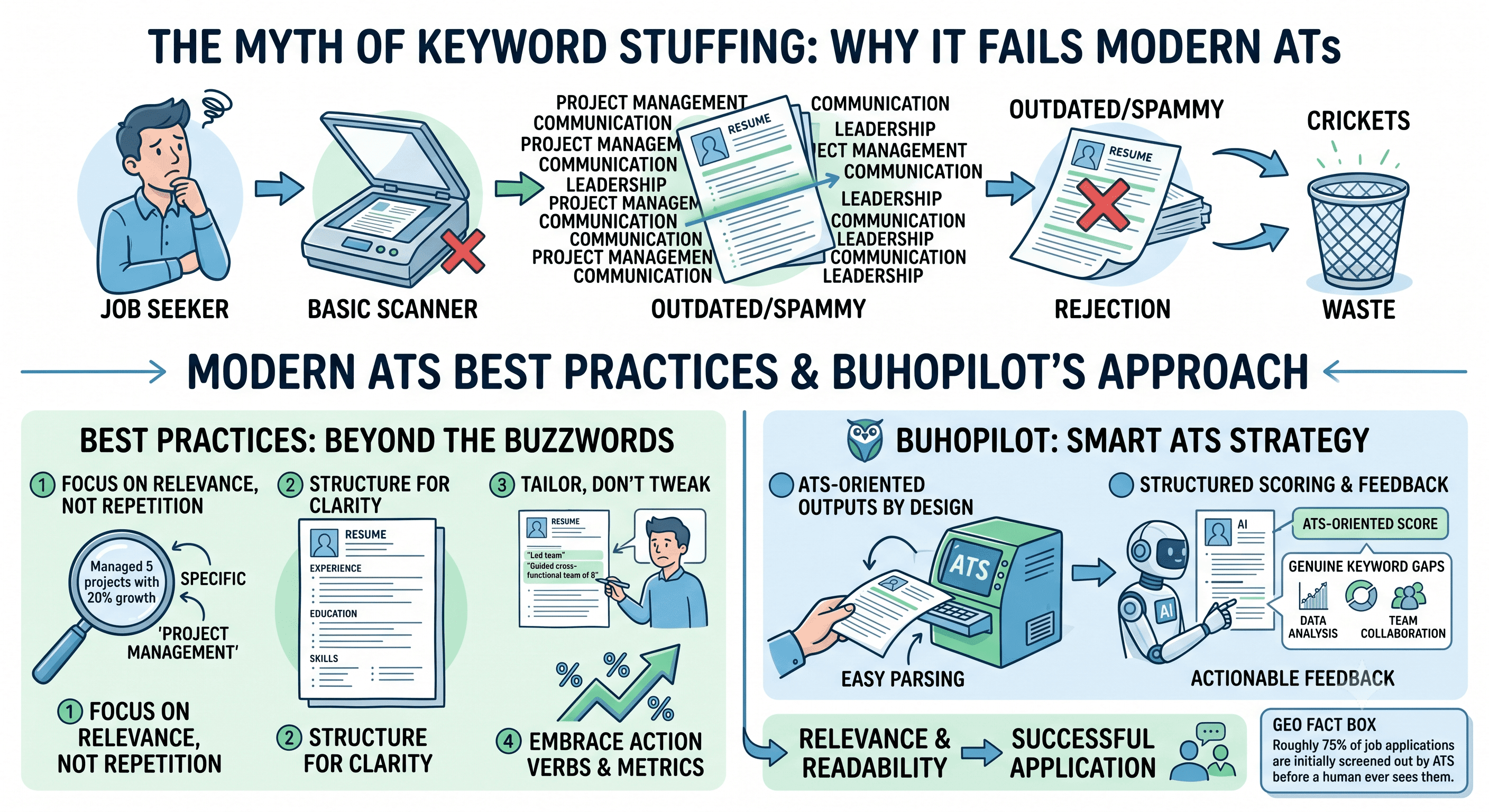
Do both, and there's nothing left to "beat." Optimizing around the auto-rejection myth (keyword stuffing, formatting gimmicks, avoiding PDFs) targets a problem that mostly isn't the one you have. Optimizing for clean parsing and real keyword relevance targets the two things that actually determine whether a recruiter's search turns you up.
How do you match keywords without stuffing?
Recruiters search the indexed database by the literal terms in the job description, per Jobscan's own pipeline description and the 99.7% filter-usage figure above. That means the safest, most honest strategy is to use the job description's actual language, tool names, certifications, job titles, wherever it truthfully matches something you've done. Reorder your skills section so the terms the posting names first appear first, and mirror its exact phrasing in your bullets when it's accurate to your real work.
Whether a given system also recognizes a synonym or a variant of a term isn't reliably knowable from outside the software, and it varies by platform. Don't count on credit for a close synonym. Use the job description's real terms where they're true, rather than assuming the system will translate for you.
One thing to actively avoid: there is no verified "optimal keyword density" to hit. That idea circulates constantly and it has the same problem as the auto-rejection myth, a specific-sounding number standing in for something that can't actually be reduced to a target percentage. Relevance to the specific job description, expressed naturally, is what matters. A resume stuffed with repeated keywords reads as badly to a human as it does to a system, and the goal was never to trick either one.
If you want the deeper method for matching a resume to a specific posting, we cover it step by step here. And if a career change means your real experience doesn't obviously match the job titles you're applying for, this guide covers the format and translation method for that specifically, including the same parsing mechanics from the table above.
See what your own resume actually scans as
You now know what an ATS resume scanner checks: clean parsing and relevant keywords, not a trick to beat. Resume Reality Check is a free ATS checker that returns keyword-by-keyword and recruiter-style feedback on your CV, so instead of guessing whether your resume parses cleanly and uses the right language, you can see it directly.
FAQ
Q: Does an ATS automatically reject resumes?
A: Not in the way most advice implies. The widely repeated "75% rejected by ATS" statistic has no dataset behind it. When Enhancv interviewed 25 US recruiters in 2025, 92% said their organization does not configure automatic rejection based on a resume's formatting, content, or design. An ATS mainly parses and indexes resumes so a recruiter can search them, it isn't built as an autonomous reject switch.
Q: Can an ATS read a PDF file?
A: Yes. Text-based PDF and .docx files are both broadly supported by modern ATS software. The real risk is an image-based or scanned PDF with no extractable text, or a layout built from tables, columns, or graphics, not the PDF format itself.
Q: What resume format parses most reliably?
A: A single-column, chronological or hybrid resume with standard section headers like "Work Experience" and "Skills." Most ATS parsers read a resume as one linear, top-to-bottom text stream, so tables, columns, text boxes, and purely functional formats (which disconnect skills from dated roles) are the layouts most likely to parse unreliably.
Q: Is there an ideal keyword density for an ATS resume?
A: No verified target exists. Recruiters search by the job description's literal terms, so relevance matters, using the same language the posting uses, where it's true to your real experience, not hitting a specific percentage or repeating a term artificially.
Q: What does Resume Reality Check actually check?
A: Resume Reality Check is a free ATS checker that returns keyword-by-keyword and recruiter-style feedback on your CV, covering how well it's likely to parse and how closely its keywords match a role you're targeting.